
Key takeaways
- Football Kick steps its physics at exactly 1/600 s, so the way frames fall never changes a kick.
- An instant replay is a copy of the shot from just before the strike, struck with the same kick.
- Gusts, a keeper’s sway and moving rings are functions of the shot clock, so copying the clock restores them.
- Slow motion runs a copy of the kick ahead, then hands the live kick 0.3 of each frame’s time.
- A test plays a kick in uneven frames and its replay at 0.45×, and demands identical endings.
Football Kick, our one-finger football game for iPhone and iPad, is free on the App Store and runs on fixed timestep game physics. Everything on the pitch moves in steps of exactly 1/600 of a second, and each screen refresh, up to 120 a second, runs as many whole steps as the time since the last one allows. Nothing in a kick depends on how its frames fell, so a copy of the shot taken just before the strike, struck again with the same kick, ends on the same step at the same point. That copy is the instant replay. Another copy, run ahead as you swipe, tells the game when to slow time.
It’s made for iPhone Duo, and its engine runs free in the browser at footballkicks.9io.ai if you’d like to try it first. The launch post covers the game. This one reads KickKit, its Swift engine, and the app’s play screen as they shipped in version 1.0, and ends with a checklist for building replays into a game.
The game loop accumulator, from screen refresh to 1/600 s steps
The app drives a match from a CADisplayLink, which calls back once per screen refresh. It asks for 60 to 120 Hz, and its Info.plist sets CADisableMinimumFrameDurationOnPhone, without which an iPhone app’s display link stays at 60 Hz or below. Apple’s ProMotion guide says to drive physics from the link’s targetTimestamp, the moment the next frame will appear, and warns that the rate can drop at any time, in Low Power Mode or when the device gets hot.1 Football Kick takes each frame’s length as the gap between two target timestamps.
KickKit uses the loop that Glenn Fiedler’s “Fix Your Timestep!” describes. The renderer produces time and the simulation consumes it in fixed steps, carrying the leftover in an accumulator.2
// Once per display refresh.
func frame(target: CFTimeInterval) {
    let real = min(max(target - lastTarget, 0), 1.0 / 20)  // a stall counts as 50 ms
    lastTarget = target
    shot.advance(by: real * speed)   // speed is 1, or 0.3 in slow motion, 0.45 in a replay
}

// Inside the shot.
mutating func advance(by dt: Double) {
    banked += min(dt, 0.1)
    while banked >= step - 1e-12 {   // step is 1.0 / 600
        runStep()
        banked -= step
    }
}
The leftover is always under a step. Our post on porting the engine to JavaScript explains the tiny slack in the comparison.
Capping catch-up steps so a stalled frame can’t snowball
When the step follows the frame time, Fiedler writes, springs can explode and fast objects can tunnel through walls. Fixed steps fail differently. If computing the steps a frame owes takes longer than the time they cover, the next frame owes more, and the game falls further behind. Fiedler calls it the spiral of death and suggests capping the steps per frame so the game slows down under load instead; his code caps a frame at 0.25 s.2 Robert Nystrom’s chapter on the game loop gives the same advice.3
Football Kick caps twice. The play screen counts no frame as longer than 1/20 s, which is 30 steps, and the shot accepts at most 0.1 s per call, 60 steps. After a pause, the first frame counts as 1/60 s, so paused time is never caught up. Below 20 frames a second, the match runs slower than real time.
This is how many steps one frame hands the shot at some of the rates Apple lists for ProMotion iPhones.1 A fraction means frames take turns, so in slow motion at 120 Hz they alternate one step and two.
| Frame | Length | Live kick | Slow motion (0.3×) | Replay (0.45×) |
|---|---|---|---|---|
| 120 Hz | 8.3 ms | 5 | 1.5 | 2.25 |
| 80 Hz | 12.5 ms | 7.5 | 2.25 | 3.375 |
| 60 Hz | 16.7 ms | 10 | 3 | 4.5 |
| 30 Hz | 33.3 ms | 20 | 6 | 9 |
| 20 Hz | 50 ms | 30 | 9 | 13.5 |
| A 100 ms stall | Counted as 50 ms | 30 | 9 | 13.5 |
Fiedler’s last refinement blends the two latest states to hide the stutter of whole steps. KickKit draws the newest step as it is, and what it hasn’t shown yet is always under 1/600 s.
Choosing the step for fixed timestep game physics
Any fixed step would make replays exact. Its size decides what the ball can touch. KickKit checks contacts with the posts, the bar, the wall and the keeper’s body, all modelled as capsules, at the end of each step. The ball touches a post when its centre ends a step within 17 cm of the post’s axis, its own 11 cm radius plus the post’s 6 cm. A ball that only clips the post is that close for a short stretch of its path, and two checks a long step apart can fall either side of it. The goal line and the target rings can’t be skipped that way, because the engine interpolates where the ball crossed them within the step.
| Step | Ball travel per step at 33.5 m/s | Deepest clip of a post that two checks can miss | Steps per 120 Hz frame | Use in KickKit |
|---|---|---|---|---|
| 1/60 s | 55.8 cm | Any, even dead centre | 0.5 | None |
| 1/120 s | 27.9 cm | 7.3 cm | 1 | None |
| 1/240 s | 14.0 cm | 1.5 cm | 2 | Estimates by the kick solver and the keepers |
| 1/600 s | 5.6 cm | 2.3 mm | 5 | Every step that decides a kick |
The kick solver’s fastest launch is 33.5 m/s. A clip’s depth is how far the ball’s centre comes inside those 17 cm, and we worked the depths out from the code’s constants. At one step per 120 Hz frame, a ball could come 7 cm inside and never touch the post, and glancing contacts are what a shot off the inside of the post or a fingertip save is made of.
The kick solver and the keepers fly the ball at 1/240 s for estimates. The solver tries up to 26 launches to find one that crosses the line at your aim point in still air, and a keeper runs the ball forward to his line each time he reads it. A coarser step makes an estimate a little less accurate, but each estimate comes out the same every time, so replays still match.
What a deterministic physics replay has to carry
A replay needs every input to the kick and all the state the kick will read. KickKit keeps that state in one Swift struct, Shot. Swift copies a struct when it’s assigned, and the arrays inside share storage until one copy writes to them.4 So as your swipe is read, the play screen keeps a copy of the shot, with the kick beside it.
let beforeStrike = shot    // a copy of the whole simulation
shot.strike(kick)          // the live kick

// After the goal: the same kick from the same state.
var replay = beforeStrike
replay.strike(kick)
The copy carries four kinds of state.
- The setup. The spot, the weather, the keeper, the wall, the target rings, your last eight shots (keepers who learn use them) and the kick’s seed.
- The wind. Its mean speed and bearing, its gustiness and swirl, and the seed of its gusts.
- The dice. A SplitMix64 generator seeded from the match seed and the kick’s number, part-way through its stream. The keeper’s guess, his reading errors and the direction of a parry draw from it. Drawing and particle effects use generators of their own.
- The moment. The shot clock, the keeper’s spot on his line, which wall players will jump and when, and the accumulator’s leftover.
The clock matters most. Everything in the shot that moves before the kick, from the gusts and the keepers’ sway to the rings that slide or bob, is computed from the clock, plus a seed where it needs one. Rafa Ortega, the showman, shuffles up to 0.24 m either way along his line on a cycle of about 2.2 s, and his dive starts wherever the shuffle has taken him. Strike a second later and the wind and Rafa are somewhere else. A copied clock puts them back with no history to store.
The kick itself comes from the swipe, which is read from the touch samples’ own timestamps, so the frame rate never touches it. It’s struck on a step boundary.
How wind and spin are integrated inside a step
In the air, each step is semi-implicit Euler. The forces update the velocity first, and then the ball moves with the new velocity.
// One 1/600 s step of flight, simplified.
let air = velocity - windAt(clock) * 1.8      // the wind counts 1.8 times
let accel = gravity - air * (drag * air.length) + spin.cross(air) * magnus
velocity += accel * step
spin *= exp(-0.18 * step)
position += velocity * step
The wind enters through drag and Magnus lift, which both act on the ball’s velocity through the air. Our post on how to bend a free kick sets those forces against the research. Each step reads the wind at its own time on the shot clock, from smooth noise hashed from the wind’s seed, so no history is needed. On a gusty level such as Thunder Road the speed swings up to 33% either side of the shot’s mean, and a test fails if a gusting wind sampled every 1/60 s for 10 s ever jumps by 0.6 m/s or more.
Spin shrinks by a factor of e^(−0.18 × step) every step. Those factors multiply out the same at any step size, so a flying ball keeps 83.5% of its spin after a second. Drag and lift are first-order updates, so a different step would move every kick a little, and every captured timeline with it.
Slow motion with a fixed timestep
Slow motion starts before the moment it’s for, so the game needs the ending first. As your swipe is read, the play screen strikes a copy of the shot with your kick and runs it ahead in 1/60 s chunks, up to 3 s of game time or 1,800 steps, before the live kick is struck. If the copy ends in one of the moments below, the live match plays at 0.3× from 0.24 s of game time before the decision to 0.08 s after. The step stays 1/600 s, and each frame hands the shot less time.
The same moments, and a few more, pick which of your goals get an instant replay. These are the rules in the 1.0 code.
| Moment | Rule | Slow motion | Replay of your goal |
|---|---|---|---|
| Woodwork | Hits the post or bar and stays out | Yes | No |
| Save | The keeper touches it and it stays out, held, parried or tipped | Yes | No |
| Top corner | A goal crossing 2.35 m or more from the middle and at least 1.5 m up | Yes | Yes |
| In off the woodwork | A goal after touching the post or bar | Yes | Yes |
| Panenka | A goal struck under 17 m/s, within 1.3 m of the middle and above 0.5 m, with the keeper diving and his gloves over 1.4 m away | Yes | Yes |
| Target ring | The ball goes through a ring | Yes | No |
| Curler | A goal from a swipe bent at least 0.45 of the way to full bend, crossing 0.55 m or more from its launch line | No | Yes |
| Past the keeper | A goal the keeper touched | No | Yes |
| Rocket | A goal struck at 30 m/s or more | No | Yes |
A penalty struck at 31.8 m/s into the top corner, one of the engine’s captured timelines, is decided 0.405 s after the strike. Its slow motion starts 0.165 s into the flight and turns the last 0.32 s of game time into 1.07 s on screen.
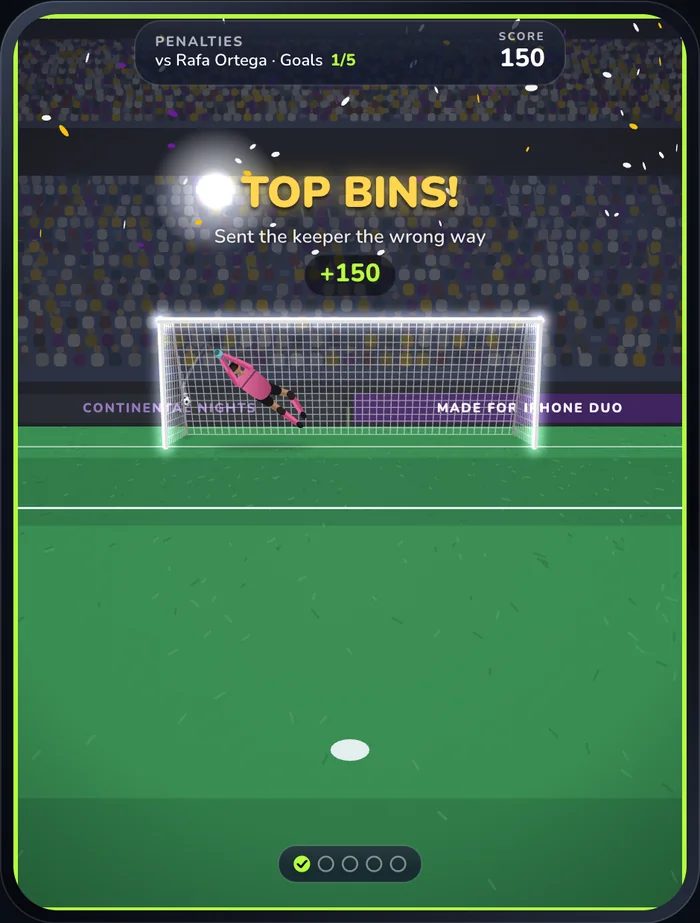
There’s no slow motion when the “Slow motion, replays and shake” setting is off, or when a person is in goal. A look-ahead can only predict a kick if no more input is coming, and a keeper’s tap is input still to come.
How the instant replay strikes the same kick again
After a goal of yours that qualifies, the play screen strikes the saved copy with the saved kick, and a probe, one more copy, finds when that kick will be decided. The replay starts 1.15 s after the goal and stops 0.7 s of game time after the decision. It plays at 0.45× from a long lens behind the shooter, off to the side the ball didn’t go, so the ball flies across the frame into the corner. The match waits while it plays, and a tap skips it. The top-corner penalty above runs for about 2.5 s as a replay.
A goal that earns both slow motion and a replay is simulated four times, by the look-ahead, the live kick, the probe and the replay, and all four runs are decided on the same step.
Copies agree only while everything that moves comes from the copy and the kick. When a person controls part of the scene, such as a friend keeping goal on the same phone, their taps are inputs too. Record each one with the step it landed on and feed it to every copy, or leave that moment out of the look-ahead and the replay.
The balance tools use copies too. Before each kick, one of kick-cli’s simulated players tries 26 candidates three times each on copies made by rerolled(seed:), which keeps the setup and the clock but rolls the dice again, so it can’t see which way the keeper will guess.
How the engine is tested for determinism
KickKit is plain Swift with no UI framework, and CI runs its tests in a Swift 6.1 Linux container on every push. The replay test plays a kick on three World Tour levels. Set Piece (5-2) has a wall of four that jumps, Thunder Road (4-4) a 25 m shot into gusts on a wet pitch, and The Final (6-5) a penalty against Idris at a rating of 0.9.
Each kick waits half a second on the spot, so the clock isn’t at zero, before the shot is copied. The live kick plays in frames of 1/60, 1/120, 1/37, 0.3/60 and 1/90 s in turn, the fourth being a slow-motion frame. The copy, struck with the same kick, advances 0.45/120 s at a time, like a replay at 120 Hz. The outcome, the crossing point and the moment of the decision must be equal with no tolerance, so the crossing has to match to the last bit.
Another test builds the same Daily Kick from two different match seeds and checks that the spot, the wind and the venue agree. The day’s kicks are seeded from the day, so everyone gets the same setup, and their own swipes and timing decide the rest.
The browser port runs the replay test too and checks its kicks against timelines from the Swift engine, as the parity-test post explains. The play screen, which owns the frame cap, the slow-motion window and the replay queue, has no tests of its own in 1.0, and nothing checks a replay on an iPhone.
Where the numbers come from
Every figure about Football Kick comes from its source as submitted to the App Store for 1.0, on 29 October 2026. The step tables are arithmetic on the code’s constants, and the 0.405 s penalty is a kick-cli timeline captured for the browser port’s tests. We didn’t run the engine or time anything on a phone for this post.
A checklist for building replays into a game
- Step at one fixed size, carry the remainder, and keep frame time out of the physics.
- Size the step so your fastest object moves well under its contact distance per step.
- Cap the time a frame can add. Football Kick slows down past 50 ms.
- Read frame times from the display’s target timestamps, and expect the rate to change mid-game.
- Make everything that moves on its own a function of the simulation clock and a seed.
- Keep the simulation in one value you can copy, random number generator included, and give drawing its own generators.
- Copy the state just before an input, then apply the same input to the copy.
- Record every input that arrives after the copy, a second player’s taps included, or skip the replay.
- Run a look-ahead only when no more input can arrive.
- Slow time by handing the simulation less time per frame, and leave the step alone.
- Test a kick in uneven frames against its replay, with no tolerance.
To put the engine to use, see the World Tour guide and our Football Kick tips.
-
Apple Developer Documentation, “Optimizing iPhone and iPad apps to support ProMotion displays”, https://developer.apple.com/documentation/quartzcore/optimizing-iphone-and-ipad-apps-to-support-promotion-displays ↩↩
-
Glenn Fiedler, “Fix Your Timestep!”, Gaffer On Games, 10 June 2004, https://gafferongames.com/post/fix_your_timestep/ ↩↩
-
Robert Nystrom, “Game Loop”, Game Programming Patterns, https://gameprogrammingpatterns.com/game-loop.html ↩
-
Swift project, “Structures and Classes”, The Swift Programming Language, https://docs.swift.org/swift-book/documentation/the-swift-programming-language/classesandstructures/ ↩
Frequently asked questions
What is fixed timestep game physics?
The simulation advances in steps of one fixed length, whatever the frame rate. Each frame adds its real time to an accumulator, runs as many whole steps as fit and carries the rest to the next frame. Football Kick’s step is 1/600 s.
How do you make a deterministic physics replay?
Keep the whole simulation in state you can copy, random number generator included, step it at a fixed size, and make anything that moves on its own a function of the simulation clock. Copy the state just before the input, then apply the same input to the copy.
How do you do slow motion with a fixed timestep?
Hand the simulation less time per frame and leave the step alone. Football Kick multiplies each frame’s time by 0.3, so a 120 Hz frame runs one and a half of its 1/600 s steps on average instead of five.
What is the spiral of death in a game loop?
It happens when computing the steps a frame owes takes longer than the time they cover, so each frame owes more than the last. One fix is to cap the time one frame can add. Football Kick counts no frame as longer than 50 ms, so a stall slows the game down for a moment.
How do you build an instant replay in a mobile game?
With deterministic physics a replay can be the simulation run again. Football Kick keeps a copy of the shot from just before the strike, strikes the copy with the same kick after a great goal, and plays it at 0.45× from another camera.
Why use a 1/600 s physics step?
Contacts are checked at the end of each step, so the step limits how far the ball moves between checks. At Football Kick’s top launch speed of 33.5 m/s the ball moves 5.6 cm per step, and only a graze of about 2 mm can fall between two checks. At one step per 120 Hz frame it would move 27.9 cm.
Building something like this?
9io is a small team of senior engineers with a fractional CTO. We work by the hour, and plans start at $5,000. Send us a note about your product. The reply comes from the person who'd do the work.