
Key takeaways
- A save state copies the whole emulated machine, about 90 KB for a Bitfold Original.
- A battery save is only the cartridge’s own RAM, 8 KB for each Bitfold Original.
- SameBoy records a rewind state every frame, and Bitfold keeps 30 seconds of them by default.
- Bitfold’s fast-forward speeds the sound up with the game, so the pitch rises an octave at 2×.
- Loading a save state also rolls back in-game saves, so save in the game as well.
Emulator save states work by copying the entire emulated machine at one moment and putting it back later. A state holds the processor’s registers, every byte of the console’s memory, the state of its video and sound chips, and the cartridge’s own RAM and clock. Rewind takes the same kind of copy many times a second, keeps the recent ones in memory and loads them back in reverse. Fast-forward runs several frames for each one you see, and has to do something with the extra sound.
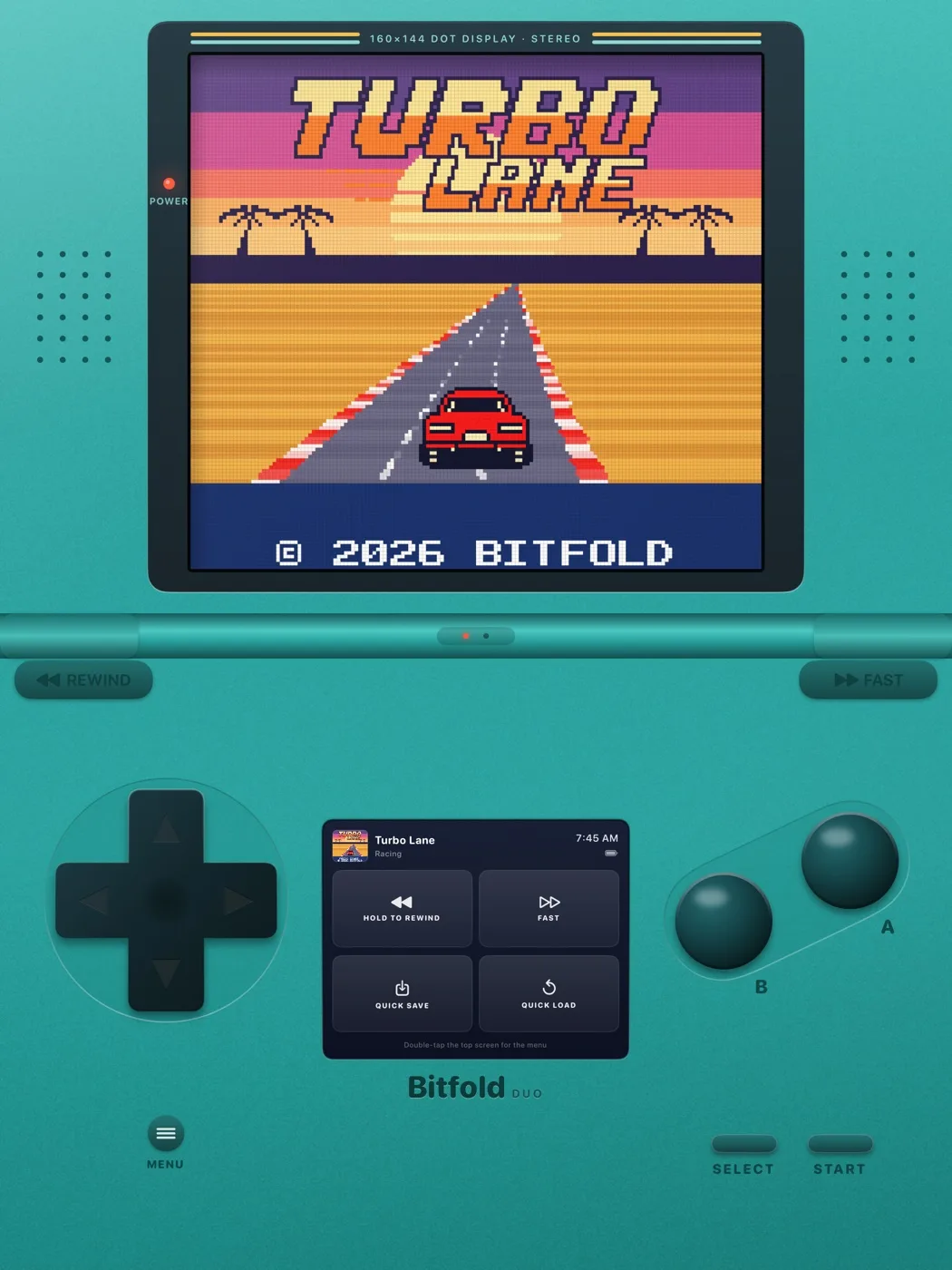
We built all three into Bitfold, the retro console app we make for iPhone and iPad, on top of the open-source SameBoy core. As of 30 October 2026, Bitfold is on its way to the App Store. The numbers and defaults in this post come from its source code and from SameBoy v1.0.4, the version of the core it uses.
This post covers what a state holds and how big it is, how it differs from the game’s own battery save, how rewind and fast-forward work and what can go wrong. It ends with how not to lose progress.
What save states capture, and how big they are
SameBoy keeps the whole console in one C structure. The parts a save state needs sit in a header and nine sections, which cover the processor, DMA, the cartridge’s memory controller, high RAM and the I/O registers, the timers, the sound chip, the clock, the video chip and the link-port accessories.1 A save state writes those sections one after another, then the cartridge’s RAM, the console’s work RAM and its video RAM. The game’s code isn’t in the file, so a state only makes sense next to the same cartridge image.
At the end of every state, SameBoy adds a BESS block, a format it published so that other emulators and much later versions of SameBoy can load the state.2 The block repeats the registers and the clock in a layout any emulator can read, says where each memory region sits in the file, and records the title and checksum of the game.
Loading a state puts every byte back. One of Bitfold’s engine tests saves a state, runs 30 frames and keeps the picture, then loads the state, runs the same 30 frames and requires every pixel to match.
Most of a state is memory. Here is the arithmetic for one of the ten Bitfold Originals, which the app runs on its colour hardware, from SameBoy’s size function and the memory it allocates.1 3
| Part of the state | Size |
|---|---|
| Work RAM (colour hardware) | 32 KB |
| Video RAM (colour hardware) | 16 KB |
| The cartridge’s RAM (each Bitfold Original) | 8 KB |
| Link-port accessory section | 32 KB |
| Processor and I/O registers, high RAM, timers, sound, clock and video chip | about 1.2 KB |
| BESS block | about 0.4 KB |
| Total | about 90 KB |
The accessory section is in every state. SameBoy saves the state of the accessories it emulates on the link port, and the largest, a printer, keeps an image buffer of 160 × 200 pixels, 32,000 bytes.4 The section is the same size whether anything is plugged in or not, so it takes up more than a third of each state.
The memory varies with the hardware and the game. On the monochrome hardware, work RAM and video RAM are 8 KB each,3 so a monochrome game with 8 KB of cartridge RAM makes a state of about 58 KB. Cartridge RAM ranges from none to 128 KB.5
Bitfold also saves a thumbnail of the screen beside each state. Its small PNG writer stores the pixels without compression, so every 160 × 144 thumbnail is 69,337 bytes. A full slot is about 157 KB, and a game’s four slots plus its automatic save come to under 800 KB.
Save state vs save file
On original hardware, a game saves by writing to RAM on the cartridge itself. With a battery on the cartridge, that RAM keeps its contents after the power goes off.5 Emulators call the result a battery save or a save file.
The game decides when to write and what the bytes mean, and the emulator only stores them. All ten Bitfold Originals are built as cartridge type 0x03, which GBDK-2020’s documentation lists as an MBC1 memory controller with RAM and a battery, and each has one 8 KB bank for its high scores and saves.5 We cover how we wrote them in making new 8-bit games with GBDK-2020.
Bitfold checks every 2 seconds whether the game has written to its cartridge RAM and, if it has, writes battery.sav in the background. It writes it again when you leave the game or switch apps. Writes go through one queue in order, and a periodic copy taken before a full save is discarded, so an old copy can’t land on top of a newer one.
Emulators keep the two kinds of save in separate files. The libretro version of SameBoy writes the game’s save to a .srm file and the clock to a .rtc file in the front end’s save folder, and states to .state files in its state folder.6 Bitfold keeps each game’s battery.sav, its five state files and their thumbnails in one folder inside the app.
A save state contains the cartridge RAM, so loading a state also loads the game’s save as it was at that moment. RetroArch has a setting that blocks this, off by default, and its configuration file warns that turning it on “might potentially lead to buggy games”.7 Bitfold doesn’t block it. After you load a state, the next battery write replaces battery.sav with the state’s copy, at the latest when you leave the game.
Cartridges with a clock
Some cartridges also carry a real-time clock, which the cartridge battery keeps running.5 The clock adds 48 bytes to the battery save. Those bytes hold the current time, the latched copy the game reads, and a Unix timestamp of when the file was written, the same layout BESS uses for its clock block.2
Bitfold runs the clock in SameBoy’s sync-to-host mode, where it follows the phone’s clock instead of counting emulated cycles.8 Days pass in the game while the app is closed, and fast-forward doesn’t speed the clock up. Loading an old state puts the clock’s registers back and then advances them by the real time since the state was saved.
Save state, battery save and rewind buffer compared
This table puts the three side by side for a Bitfold Original, as of 30 October 2026.
| What it stores | Where it lives | How big | When it’s written | |
|---|---|---|---|---|
| Save state | The whole machine at one frame, cartridge RAM and clock included | A file per slot in the app’s own storage, with a thumbnail and the cartridge’s checksum | About 90 KB, plus a 68 KB thumbnail | When you save to a slot; the automatic one when you leave the game or switch apps |
| Battery save | Only the cartridge’s RAM, plus 48 bytes on cartridges with a clock | battery.sav, in the same folder | 8 KB | Within about 2 seconds of the game saving, and when you leave |
| Rewind buffer | A state for every recent frame, kept whole every 256 frames and as differences in between | Memory only, cleared when you leave, load a state or restart | About 0.7 MB of whole states for the default 30 seconds, plus the differences | After every frame, about 60 times a second |
The sizes are worked out from the code; the last section but one explains how.
How emulator rewind works
Rewind is built on save states. Lakka’s documentation says rewind won’t work with cores that can’t save states, and that it costs performance, which is why Lakka ships with it switched off.9 RetroArch’s default configuration also leaves it off and suggests a buffer of about 20 MB per minute of rewind.7
SameBoy records a state after every frame.3 10 Keeping each one whole would take about 5 MB a second for a Bitfold Original, so it works in blocks of 256 frames, about 4.3 seconds. The first state in a block is kept whole. Each of the next 255 is compared byte by byte with it and stored as runs of matching and differing bytes, with only the differing bytes written out. Memory that doesn’t change, such as the empty printer buffer, costs almost nothing.
The blocks sit in a ring, and SameBoy works out how many cover the time you ask for, rounding up. Bitfold keeps 30 seconds by default, and Settings offers 10 to 120 seconds in steps of 10, as of 30 October 2026. Thirty seconds needs 8 blocks. When the ring is full, the oldest block goes all at once, so you can go back between about 30 and 34 seconds.
The 8 whole states take about 0.7 MB. The differences depend on how much of its memory a game changes from frame to frame, and we haven’t measured them on a device. At 120 seconds the ring holds 29 blocks, about 2.5 MB of whole states before any differences.
Rewinding loads the newest state, but drawing it means running a frame, which records a new state. So each step drops two states and runs one frame with the sound muted, a net step of one frame back, as SameBoy’s own SDL front end does.11 Bitfold takes two steps per screen refresh, so the game plays backwards at twice normal speed and 30 seconds of play rewinds in about 15. At the oldest moment kept, the REWIND badge on the screen changes to START. Let go and the game carries on from that frame.
Hold the Rewind button on the shell or the companion screen, a controller’s left shoulder button or trigger, or R on a keyboard. Loading a state, restarting or switching hardware clears the history. History counts game frames, so at 8× fast-forward, 30 seconds of it covers less than 4 seconds of your time.
Fast-forward with sound
Bitfold’s fast-forward runs at 2×, 3×, 4× or 8×, with 3× the default as of 30 October 2026. Hold Fast on the shell, a controller’s right shoulder button or trigger, or Space on a keyboard, or tap Fast on the companion screen or in the menu to leave it on.
At normal speed, Bitfold drives the display at 60 Hz and runs one emulated frame per refresh. At 3× it runs three per refresh and tells the core not to draw the first two, so the phone only draws the frame you see.
SameBoy emulates the sound chip at 2 MHz and downsamples it to the output rate it’s given,12 which Bitfold sets as emulated clock cycles per sample. If Bitfold kept the normal rate at 3×, the core would make three times as many samples as the phone plays. The audio buffer drops whatever doesn’t fit, and you would hear the sound in chopped pieces.
So Bitfold multiplies the cycles per sample by the speed. At 3× each sample covers three times as much game time, the phone still receives the same number of samples a second, and the buffer stays at its usual level. The sound keeps the game’s speed, so its pitch rises by an octave at 2× and by three octaves at 8×. The rate control that nudges the audio by up to 0.5% to stay in step with the display works at every speed.
The alternative is time-stretching, which speeds the sound up and keeps the pitch. RetroArch offers it for slow motion and fast-forward, and its configuration file says it “adds processing cost, memory and buffering”.7 Bitfold doesn’t time-stretch.
With rewind on, every emulated frame still records a rewind state, so at 8× the phone emulates and records 480 frames a second. We haven’t measured how close an older iPhone gets to a full 8× in a demanding game.
Four save slots, plus automatic save and resume
Bitfold gives each game four save-state slots as of 30 October 2026, each with a thumbnail and the time it was saved. On the companion screen, which the clamshell layout puts below the game, Quick Save and Quick Load use Slot 1. Quick Load asks first, because it sits right beside Quick Save and loading throws away everything since. The prompt says “Progress since then, in-game saves included, will be lost”.
Saving into a slot that already holds a state replaces it straight away, with no undo. TASVideos’ list of features for emulator authors suggests backing up the most recently overwritten state to allow a limited undo.13 Bitfold doesn’t keep one, as of 30 October 2026.
The automatic save is a fifth state, kept apart from the slots, so leaving a game never overwrites one you chose. Bitfold writes it when you leave the game and whenever the app goes to the background. The write finishes before the app hands control back to iOS, because the app can be suspended straight after.
Next time you open the game, Bitfold loads the automatic save and you’re back on the same frame. Resume Where You Left Off in Settings turns this off; it’s on by default as of 30 October 2026. The Load page lists only the four slots, so the automatic save is only used to resume.
Bitfold checks two things first. The automatic save must carry the game’s cartridge checksum, and it can’t be older than the battery save. A newer battery save means the app stopped without saving its state after the game had saved, for example after a crash or when the phone ran out of power. Resuming then would put older cartridge RAM over the newer in-game save, so Bitfold starts the game normally instead. On a normal exit it writes the battery save first, so the automatic save is the newer file.
What can go wrong with save states
A damaged state. Bitfold first reads the file’s header to find which hardware the state was made for, and a file that isn’t a state gets “This save state is damaged or was made for another game”. A state that has been cut short is harder to catch. SameBoy checks the register sections in a scratch copy but reads the cartridge RAM, work RAM and video RAM straight into the running console. A short file fails partway through, with the game’s memory already partly replaced.1 That is one more reason to keep an in-game save as well as your states.
A state from another version of the game. A state holds the game’s RAM as one build of its code laid it out, and the code isn’t in the file, so a different build may find something else where it expects its variables. Bitfold tags every state with the CRC-32 checksum of the cartridge image and refuses a mismatch with “This save state was made with a different version of the game”. That matters most for the ten Originals, whose saves stay in the same folder when an app update brings a new build. Battery saves aren’t tagged and load into any version. Imported cartridges are filed by checksum and size, so an image that differs by one byte gets its own saves.
A state from another version of the emulator. SameBoy’s own format carries a version number, and when it doesn’t match, SameBoy reads the BESS block at the end of the file instead.1 SameBoy v1.0.4 loads states from SameBoy 0.14.3 onwards and from any emulator that writes BESS.14 The specification calls a state loaded this way a “best effort” state, accurate enough for casual use.2
Where these numbers come from
We worked the sizes out from SameBoy v1.0.4’s size function and structure definitions, for a Bitfold Original on colour hardware, and from Bitfold’s PNG writer. Compiler padding can move the small sections by a few dozen bytes. The rewind block count follows SameBoy’s formula. Defaults, controls and file names come from Bitfold’s source code as of 30 October 2026. Its engine tests cover the save-and-load round trip, damaged states, states from other hardware and the length of the rewind history. We haven’t measured rewind memory, power use or fast-forward speed on a phone.
When to use a save state, and how not to lose progress
| What’s happening | What to use |
|---|---|
| The game offers a save point | The game’s own save |
| You missed a jump a moment ago | Rewind, up to about 30 seconds back by default |
| A hard stretch with no save point, or a choice you may want to undo | A save state in Slot 2, 3 or 4 |
| You have to stop mid-level | Leave the game; the automatic save puts you back |
| An app update changed the game | Your in-game save, because old states won’t load |
- Save in the game whenever it lets you. The save is small, it’s written within about 2 seconds, it loads into any version of the game, and Bitfold never resumes an automatic save over a newer in-game save.
- Keep Slot 1 for quick saves and put states you want to keep in Slots 2 to 4. Rotate between them instead of saving over your only good state.
- Before you load an old state, check its thumbnail and time. Any in-game save you made after it is gone once you leave the game.
- When a state matters to you, play on from it to the next save point and save in the game, since a state won’t load once an update changes the game.
- Keep iCloud or Finder backups on. Bitfold’s privacy policy says device backups include its saves, and removing the app removes them.15
- The free browser player at bitfold.9io.ai/play doesn’t keep progress. Each game starts fresh when you power it on.
-
SameBoy v1.0.4 source code, “Core/save_state.c”, https://github.com/LIJI32/SameBoy/blob/v1.0.4/Core/save_state.c ↩↩↩↩
-
SameBoy, “BESS: Best Effort Save State 1.0”, https://github.com/LIJI32/SameBoy/blob/master/BESS.md ↩↩↩
-
SameBoy v1.0.4 source code, “Core/gb.c”, https://github.com/LIJI32/SameBoy/blob/v1.0.4/Core/gb.c ↩↩↩
-
SameBoy v1.0.4 source code, “Core/printer.h”, https://github.com/LIJI32/SameBoy/blob/v1.0.4/Core/printer.h ↩
-
GBDK-2020 documentation, “ROM/SRAM Banking and MBCs”, https://gbdk.org/docs/api/docs_rombanking_mbcs.html ↩↩↩↩
-
libretro documentation, “SameBoy core” (updated 22 October 2026), https://docs.libretro.com/library/sameboy/ ↩
-
libretro, RetroArch default configuration file, “retroarch.cfg”, https://github.com/libretro/RetroArch/blob/master/retroarch.cfg ↩↩↩
-
SameBoy v1.0.4 source code, “Core/timing.c”, https://github.com/LIJI32/SameBoy/blob/v1.0.4/Core/timing.c ↩
-
Lakka documentation, “Rewind”, https://www.lakka.tv/doc/Rewind/ ↩
-
SameBoy v1.0.4 source code, “Core/rewind.c”, https://github.com/LIJI32/SameBoy/blob/v1.0.4/Core/rewind.c ↩
-
SameBoy v1.0.4 source code, “SDL/main.c”, https://github.com/LIJI32/SameBoy/blob/v1.0.4/SDL/main.c ↩
-
SameBoy, “Features”, https://sameboy.github.io/features/ ↩
-
TASVideos, “Desired features of a rerecording emulator”, https://tasvideos.org/EmulatorResources/Features ↩
-
SameBoy, “SameBoy v1.0.4” release notes, https://github.com/LIJI32/SameBoy/releases/tag/v1.0.4 ↩
-
Bitfold, “Privacy policy”, https://bitfold.9io.ai/privacy/ ↩
Frequently asked questions
What is the difference between a save state and a save file?
A save file, or battery save, is what the game writes to its cartridge’s own RAM when you save in the game. A save state is a copy of the whole emulated machine at one moment, made by the emulator when you ask. A state includes the cartridge RAM, so loading one also brings back the in-game save from that moment.
What is a battery save in an emulator?
It’s the game’s own save. On the original cartridge a battery kept the save RAM alive with the power off, and an emulator keeps the same bytes in a small file. For each Bitfold Original that file is 8 KB.
How does rewind work in an emulator?
The emulator saves a state many times a second, keeps the recent ones in memory and loads them in reverse while you hold the button. Bitfold, on the SameBoy core, records a state every frame, keeps a whole one every 256 frames and stores the frames in between as differences.
Why does the music sound higher when I fast-forward?
Because the sound runs at the game’s new speed. Bitfold runs 2 to 8 frames per screen refresh and has the core make each sound sample cover 2 to 8 times as much game time, so the sound plays without gaps and rises an octave at 2× and three octaves at 8×.
Can a save state overwrite my in-game save?
Yes. A save state holds the cartridge’s RAM, so loading an old one brings back the in-game save as it was then. In Bitfold, that older save replaces the battery save file the next time it’s written, at the latest when you leave the game.
Why won’t my save state load after an update?
A state only fits the build of the game that made it. Bitfold tags every state with a checksum of the cartridge image and refuses one made with a different version of the game. Battery saves aren’t tagged, so in-game saves still load.
Building something like this?
9io is a small team of senior engineers with a fractional CTO. We work by the hour, and plans start at $5,000. Send us a note about your product. The reply comes from the person who'd do the work.