
Key takeaways
- Bitfold’s browser player runs a C emulator compiled to WebAssembly, plus three games, in 108.5 KB gzipped.
- The WebAssembly and the cartridges download only when someone starts a game.
- Every game start awaits a fresh Binjgb() instance, because reusing one crashed with ‘memory access out of bounds’.
- Create the AudioContext inside the tap or key press that starts play, and don’t wait on resume().
- Version every long-cached URL, vendored files included, and send no-cache on the HTML.
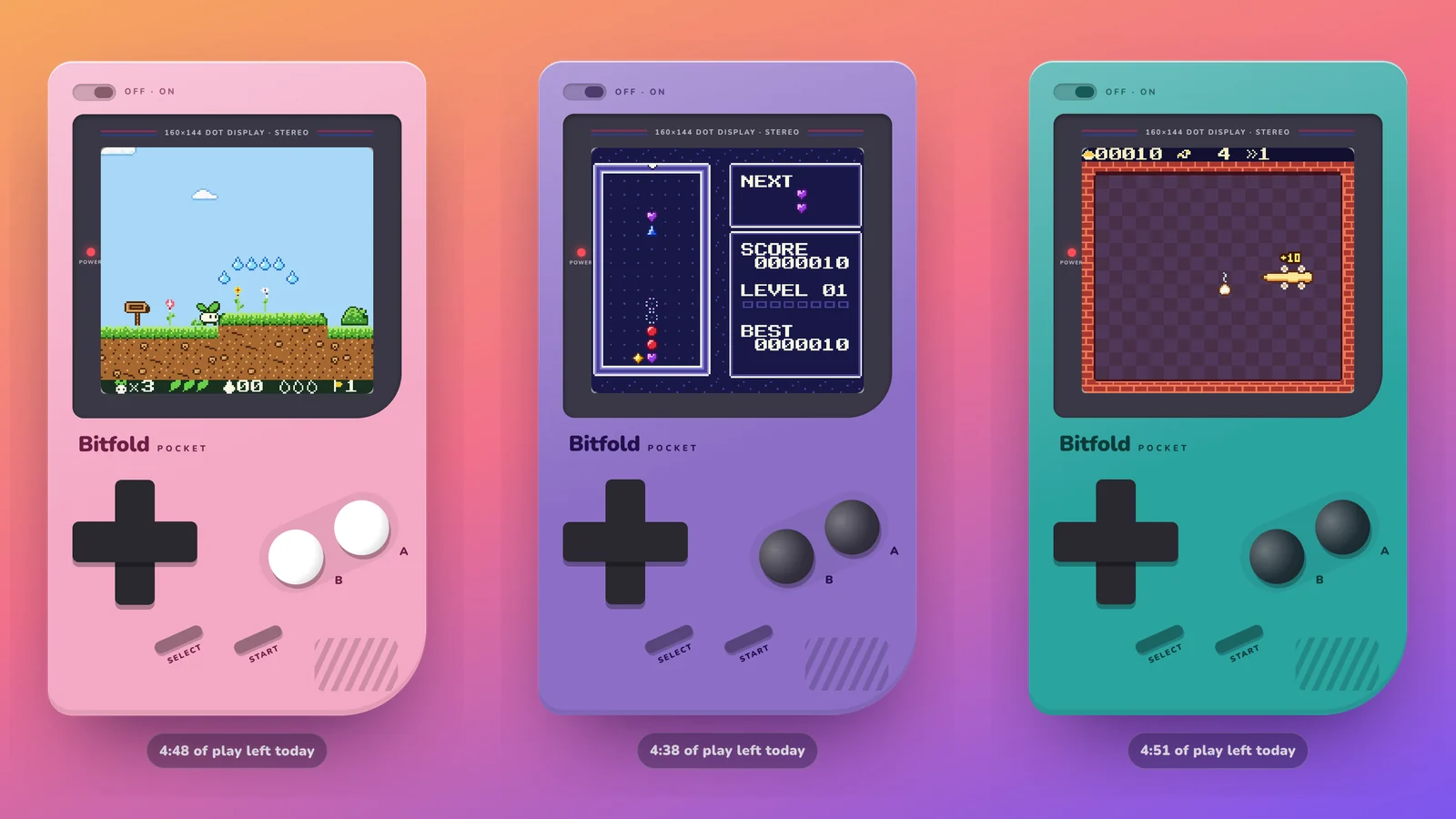
The free demo of Bitfold, our retro game console app, runs a real emulator in the browser. It’s binjgb, a small open-source emulator core written in C, compiled to WebAssembly, and it plays three of the games we wrote for Bitfold. As of 30 October 2026, the emulator, our player script and all three cartridges come to 108.5 KB gzipped. The WebAssembly and the cartridges download only when someone picks a game.
The demo is at bitfold.9io.ai/play, where Sprout’s Quest, Prism Drop and Noodle play free for five minutes a day, with no sign-up. Our launch post covered the run loop and two input bugs. This post covers what each file weighs, the crash that made us give every game a fresh WebAssembly instance, the menu we moved onto the console’s screen, and how input, sound, the daily limit and caching work. It ends with a checklist for shipping an emulator, or any WebAssembly game, on the web.
Why an iPhone app has a browser demo
Bitfold has been on the App Store since 5 November 2026. It’s an app for iPhone and iPad, made for iPhone Duo. The demo lets people play retro games in the browser from a link, on a phone or a laptop, with nothing to install.
No game had to be ported for it. The Bitfold Originals are real cartridge images. Any emulator that runs those images can play them, and the browser player loads the same files the app ships. The app emulates them with SameBoy, and the web page uses binjgb. Our GBDK-2020 post covers how we wrote the games.
The demo is a taster. The app has all twelve games with no time limit, plus save states and rewind.
Choosing binjgb, a small WebAssembly emulator
binjgb, by Ben Smith, is MIT-licensed and already compiles to WebAssembly. The build uses CMake, and the web target goes through Emscripten with make wasm. Its build file links with MODULARIZE=1 and EXPORT_NAME="Binjgb", so the generated binjgb.js defines a single async factory function, Binjgb(). Emscripten’s documentation says that factory returns a promise of an instance of the program and can be called any number of times, each call giving a separate, isolated instance.1
You don’t need Emscripten to use it. The repository’s docs folder has a prebuilt binjgb.js and binjgb.wasm, plus a minimal player in simple.html, simple.js and simple.css. The two files we serve are byte-for-byte those prebuilt ones; we compared SHA-256 hashes on 30 October 2026. binjgb’s licence file sits beside them, and the page credits binjgb.
Our run loop and audio follow simple.js. Each animation frame runs at most 5/60 of a second of emulation, and audio goes out in buffers of 4,096 sample frames, scheduled 100 ms ahead. simple.js plays one cartridge per page load, though. It calls Binjgb() once and never switches games, so switching was ours to add.
What an emulator in the browser weighs, file by file
We measured the files the player and its page load, as of 30 October 2026, and what Brotli would save on each. The table lists the emulator and games first, then the page around them.
| File | Loads | Raw | Gzip (as served) | Brotli 11 (not served) |
|---|---|---|---|---|
| player.js (our player) | With the page | 14.4 KB | 5.6 KB | 4.4 KB |
| binjgb.js (the loader Emscripten generates) | With the page | 13.6 KB | 4.3 KB | 3.5 KB |
| binjgb.wasm (the emulator) | At the first game start | 88.3 KB | 35.2 KB | 25.9 KB |
| Sprout’s Quest cartridge | When you pick it | 131.1 KB | 30.4 KB | 25.0 KB |
| Prism Drop cartridge | When you pick it | 32.8 KB | 15.0 KB | 14.0 KB |
| Noodle cartridge | When you pick it | 32.8 KB | 18.0 KB | 16.5 KB |
| Emulator, player and three games | 312.9 KB | 108.5 KB | 89.4 KB | |
| The page’s HTML | With the page | 24.0 KB | 6.7 KB | 4.9 KB |
| site.css | With the page | 21.8 KB | 7.2 KB | 5.3 KB |
| play.css | With the page | 15.0 KB | 5.2 KB | 3.8 KB |
| site.js | With the page | 3.6 KB | 1.5 KB | 1.3 KB |
| Three title screens and the app icon (PNG, sent as is) | With the page | 46.7 KB | 46.7 KB | 46.7 KB |
| Everything above | 423.9 KB | 175.8 KB | 151.3 KB |
The figure we quote is the first subtotal, 108.5 KB for the emulator, its loader, our player and all three cartridges. It is about 1 KB more than the 107.4 KB in our launch post, and all of the difference is player.js, which now carries the menu.
The emulator itself doesn’t load with the page. Before you pick a game, the browser fetches 77.2 KB from our server, not counting web fonts or the favicon. The biggest file in that is the app icon in the header, a 192-pixel PNG of 32.6 KB drawn at 34 pixels. Your first game adds binjgb.wasm and one cartridge, which comes to 50.2 KB for Prism Drop, 53.2 KB for Noodle and 65.6 KB for Sprout’s Quest.
Sprout’s Quest is four times the size of Prism Drop on disk and only about twice the size gzipped. More than half of its 131,072 bytes are long runs of the byte 0xFF, including all of its last three 16 KB banks, and gzip squeezes those to almost nothing.
binjgb.wasm drops from 88.3 KB to 35.2 KB with gzip and to 25.9 KB with Brotli. Our server sends gzip even when the browser offers Brotli. With Brotli, the 108.5 KB would be 89.4 KB.
Why each game gets its own WebAssembly memory
A WebAssembly module works inside a linear memory, one contiguous array of raw bytes sized in 64 KiB pages.2 binjgb.wasm defines its own WebAssembly memory instead of importing one, and fixes it at 258 pages. That is 16,908,288 bytes, about 16.1 MiB, with the minimum equal to the maximum, and the loader aborts with “OOM” if anything asks for more. The emulator’s state, the cartridge, the frame buffer and the audio buffer all live in that block. Our JavaScript reads them through typed arrays over its buffer.
Our first version kept one binjgb instance for the whole visit. Switching games freed the old emulator and its cartridge and set up the next game in the same heap. Starting Sprout’s Quest, the 128 KB cartridge, after one of the 32 KB games crashed with “memory access out of bounds”.
That message comes from a trap. WebAssembly checks each memory access against the memory’s bounds, and an access outside them aborts execution and is reported to the host environment.3 In JavaScript it surfaces as a WebAssembly.RuntimeError.4 It doesn’t mean the heap was full, because a full heap in this build ends in the “OOM” abort. Something was reading or writing at an address past the end of the 16.1 MiB.
binjgb’s own demo.js reuses one module when you load another file. It deletes the old emulator and frees its cartridge before creating the next one. We didn’t need to find which access went wrong in ours to fix it. Since 26 October 2026, every game start awaits a new instance alongside the cartridge download, and only then drops the old instance whole.
// One emulator instance per game. Binjgb() is the factory that
// Emscripten's MODULARIZE option generates: every call is a new
// module with a new memory.
async function startGame(romUrl) {
  const [mod, rom] = await Promise.all([
    Binjgb(),
    fetch(romUrl).then((r) => r.arrayBuffer()),
  ]);
  stopGame();     // cancel the frame loop, then forget the old module
  current = mod;
  // copy rom into mod's heap and create the emulator there
}
Dropping the old instance means letting go of the module, the emulator pointer and every typed array over the old memory, so the browser can collect all 16.1 MiB. The frame loop has to stop first, or the next animation frame calls into an emulator that no longer exists.
After the first start, binjgb.wasm can come from the browser’s HTTP cache, and in our test the second start transferred 0 bytes for it. We timed 15 back-to-back Binjgb() calls on the live page, with the module cached, on a Mac with an M4 Pro. The median was 1.2 ms and the slowest 2.1 ms. We haven’t timed it on a phone.
A menu on the console’s own screen
On launch day, 26 October 2026, you picked a game from the three cartridges beside the console, or above it on a phone. Picking a cartridge from the side turned out to be confusing, so later that day the menu moved onto the console’s own screen.
The console now opens on a “Choose a game” screen, with the three title screens in a row and a blinking marker over the first. You can tap one, or move with the on-screen D-pad or the arrow keys and start with A or Enter. X and K also work as A.
Left and right work the menu without tabbing to it, as long as the menu is on screen and focus isn’t somewhere else on the page. Up and down keep scrolling the page until a title screen has keyboard focus, and then all four arrows move between games.
⏏ Games, at the top of the console, appears while a game is loaded. It takes you back to the menu and drops that game’s emulator instance. The cartridges beside the console still start games directly, and each carries a ▶ Play label that changes to ● Playing for the game that’s on. On a phone, starting a game scrolls the page so the whole console, screen and buttons, is in view.
Every game starts from its title screen, because the browser player doesn’t save progress. Save states and rewind are app features, and our explainer covers how emulators do them.
Touch, keys and sound on the first tap
The D-pad and buttons use Pointer Events and capture the pointer, so every press gets its release even if your thumb slides off. They also set touch-action: none, which turns off the browser’s own panning and zooming on those elements.5 MDN warns that this can stop people zooming. Here it covers the controls only, and the rest of the page zooms as usual. The D-pad reads direction from the angle of your thumb in eight 45° slices and ignores touches less than 12% of its width from the centre. Every press is held for at least two emulated frames, as the launch post describes.
Keys are mapped by event.code, which names the physical key whatever the keyboard layout.6 On an AZERTY keyboard, the keys in the WASD positions are ZQSD, and they work the same. Arrows or WASD move, X or K is A, Z or J is B, Enter is Start and Shift is Select. While a game runs, the player calls preventDefault() only for keys it maps, so the arrows don’t scroll the page and other keys behave as usual. Hiding the tab pauses the game, and pausing releases every button. Nothing is held down when you come back.
Browsers generally block sound that a page starts on its own until the visitor has interacted with the site by clicking, tapping or pressing keys.7 MDN’s advice for Web Audio is to create or resume the AudioContext inside a user gesture, because one created outside a gesture starts suspended.8
Our player creates its AudioContext in the handler for the tap or key press that starts your first game, before the handler awaits anything. It calls resume() and moves on without waiting. A comment in the code records why: some browsers hold that promise until a later gesture, and the game shouldn’t sit on “Loading…” in the meantime.
startButton.addEventListener("click", () => {
  audio ??= new AudioContext();     // inside the gesture, before any await
  audio.resume().catch(() => {});   // don't wait for it
  startGame(startButton.dataset.rom);
});
Pausing the game suspends the context, and playing again resumes it. A browser without Web Audio gets the game with no sound.
Five minutes a day, kept in localStorage
The allowance, as of 30 October 2026, is 300 seconds of play per browser per UTC day. The player keeps one small record in localStorage under the key bitfold-play, with the UTC date and the seconds used, such as {"day":"2026-11-11","used":120}. A new date starts a fresh five minutes.
Each animation frame adds the real time since the previous frame, capped at a quarter of a second, and frames only run while a game is on in a visible tab. The record is saved every 20 frames, a third of a second at 60 Hz, and again on pagehide.
Every read and write sits inside try/catch. MDN documents a SecurityError when the browser is set not to keep data.9 The player still runs then, and starts each visit with a full five minutes. A private window forgets the record when its last private tab closes, and clearing site data resets it. The launch post explains why we accept that instead of adding accounts.
When the five minutes run out, the console pauses and a card covers it. The card says “Time’s up for today”, reminds you that the app has all twelve games with no limit, and says how long until the next five minutes, which arrive at midnight UTC. Its “Keep playing on the App Store” button takes keyboard focus. Come back the same day and the card is there from the start.
Until the listing went live on 5 November, that button led to the download section of bitfold.9io.ai, which said the app was coming soon. Every App Store button on the site carries a data-appstore attribute. On launch day the site’s build wrote the listing’s URL into every button, and site.js, which holds the same URL, switches any button that a cached page still has as pending. site.js got a new version in its URL so returning visitors load the new copy.
Caching and versioned asset URLs
These are the caching headers the server sent, as of 30 October 2026.
| Files | Cache-Control | Version in the URL |
|---|---|---|
| The page’s HTML | None, only Last-Modified and ETag | No |
| site.css, play.css, site.js, player.js | max-age=604800, public (7 days) | Yes, ?v=2 or ?v=3 |
| binjgb.js | max-age=604800, public (7 days) | No |
| binjgb.wasm and the three cartridges | None, only Last-Modified and ETag | No |
| PNG images and icons | max-age=2592000, public (30 days) | No |
CSS and JavaScript follow the usual pattern. They stay cached for a week, and each URL carries a version. MDN calls this cache busting. The cache keys responses by URL, so changing player.js?v=3 to ?v=4 in the HTML makes every browser fetch the new file, however long the old copy had left.10 Three things on the page don’t follow the pattern.
binjgb.js has no version. It’s cached for a week under the same URL. That’s harmless while it never changes, but the loader and binjgb.wasm only work as a pair, because the generated JavaScript refers to the module’s exports by minified names, such as d for the memory. A browser holding last week’s loader could fetch a newer .wasm and fail to start. If we update binjgb, both files should move to a new folder together.
binjgb.wasm and the cartridges have no Cache-Control. Browsers then fall back on heuristic caching. How long they reuse such a response is up to them, and MDN says the specification suggests about a tenth of the time since it was last modified. In our test, switching games read binjgb.wasm from the cache without touching the network. That’s the behaviour we want, but it rests on the browser’s guess. A long max-age on versioned paths would make it explicit.
The HTML has no Cache-Control either. MDN notes that a page’s main HTML can’t be cache-busted and suggests no-cache for it. With no-cache, the browser checks with the server before reusing its copy and gets a small 304 if nothing changed. Without it, a browser may reuse a heuristically fresh copy of our HTML, and since the ?v= numbers live in that HTML, it keeps loading the old site.js. On launch day site.js is the file that switches the App Store buttons, so we’d add no-cache to the HTML first.
The .wasm is served as application/wasm, which WebAssembly.instantiateStreaming() needs.11 With any other type that promise rejects, and binjgb’s loader logs “wasm streaming compile failed” and fetches the file a second time to compile it from an ArrayBuffer.
How we measured
- Sizes are what bitfold.9io.ai served on 30 October 2026, fetched with curl. Raw means no
Accept-Encodingheader. Gzip is the bytes received withAccept-Encoding: gzip, left compressed (curl’ssize_download), and every file except the PNGs came back withContent-Encoding: gzip. The caching headers come from the same requests. - KB means 1,000 bytes. The cartridge sizes in the text (32 KB and 128 KB) are binary, 32,768 and 131,072 bytes.
- Brotli sizes come from the brotli 1.0.9 command-line tool at quality 11, run on copies of the deployed files. Asked for
gzip, br, the server answered with gzip. - The load order, the cache hit on a second start and the
Binjgb()timings come from one session on the live page, read from the Resource Timing API. The browser was built on Chromium 152 and ran on a Mac with an M4 Pro, and its encoded body sizes matched curl’s to the byte. The 15 timed calls ran back to back with binjgb.wasm cached, and each covers the cached fetch, compilation and instantiation. - The memory size comes from binjgb.wasm’s memory section, and the browser reported the same 16,908,288-byte buffer. The SHA-256 comparison was against binjgb’s docs folder on 30 October 2026. The filler in Sprout’s Quest counts runs of 256 or more identical bytes.
- We didn’t measure anything on phones for this post, or frame rate, battery or memory over a long session. The reuse crash is from the player’s history, and we didn’t reproduce it here. Web fonts from Google Fonts and the favicon aren’t in the table.
A checklist for shipping an emulator or WebAssembly game on the web
- Pick a core whose licence lets you ship it on a public page. Keep its licence file beside it and credit it where players can see.
- Load the .wasm and the game data when someone starts a game. The first page load needs only the HTML, the CSS, your player and the small loader.
- Serve .wasm as
application/wasm, compress it along with the game files, and checkContent-Encodingwith curl. Measure Brotli too; for us it would cut the emulator and games from 108.5 KB to 89.4 KB. - Give each game a fresh instance unless you’ve tested reuse with your biggest game after your smallest. With Emscripten’s
MODULARIZE, a fresh instance is oneawaitper start. - Read “memory access out of bounds” as a bad address. Stop the frame loop before you tear an instance down, and keep no typed arrays over memory you’ve let go.
- Create the AudioContext inside the tap or key handler that starts play, before any
await, and don’t wait onresume(). MDN’s list of activation-triggering events includeskeydown,touchendand a touch’spointerup, but a touch’spointerdownisn’t on it.12 - Put
touch-action: noneon the controls only. Capture the pointer, and map keys byevent.code. - Hold quick taps for a couple of emulated frames, and release every button on pause.
- Keep a daily allowance in localStorage behind
try/catch. Count only time spent playing in a visible tab, and save onpagehide. - Send
Cache-Controlon everything. Versioned URLs, vendored files included, get a longmax-age, the HTML getsno-cache, and a loader and its .wasm move to a new path together.
-
Emscripten, “Modularized Output”, https://emscripten.org/docs/compiling/Modularized-Output.html ↩
-
MDN, “WebAssembly.Memory”, https://developer.mozilla.org/en-US/docs/WebAssembly/Reference/JavaScript_interface/Memory ↩
-
WebAssembly Community Group, “WebAssembly Core Specification: Overview”, https://webassembly.github.io/spec/core/intro/overview.html ↩
-
MDN, “WebAssembly.RuntimeError”, https://developer.mozilla.org/en-US/docs/WebAssembly/Reference/JavaScript_interface/RuntimeError ↩
-
MDN, “touch-action”, https://developer.mozilla.org/en-US/docs/Web/CSS/touch-action ↩
-
MDN, “KeyboardEvent: code property”, https://developer.mozilla.org/en-US/docs/Web/API/KeyboardEvent/code ↩
-
MDN, “Autoplay guide for media and Web Audio APIs”, https://developer.mozilla.org/en-US/docs/Web/Media/Guides/Autoplay ↩
-
MDN, “Web Audio API best practices”, https://developer.mozilla.org/en-US/docs/Web/API/Web_Audio_API/Best_practices ↩
-
MDN, “Window: localStorage property”, https://developer.mozilla.org/en-US/docs/Web/API/Window/localStorage ↩
-
MDN, “HTTP caching”, https://developer.mozilla.org/en-US/docs/Web/HTTP/Guides/Caching ↩
-
MDN, “WebAssembly.instantiateStreaming()”, https://developer.mozilla.org/en-US/docs/WebAssembly/Reference/JavaScript_interface/instantiateStreaming_static ↩
-
MDN, “User activation”, https://developer.mozilla.org/en-US/docs/Web/Security/User_activation ↩
Frequently asked questions
Can you run an emulator in the browser?
Yes. An emulator written in C can be compiled to WebAssembly with Emscripten and run in a web page. Bitfold’s browser player runs binjgb this way, with three of our games, in 108.5 KB gzipped as of 30 October 2026.
What is binjgb?
binjgb, by Ben Smith, is a small open-source emulator core written in C, compiled to WebAssembly, under the MIT licence. Its repository includes a prebuilt binjgb.js and binjgb.wasm and a minimal player to start from.
How big is a WebAssembly emulator?
It depends on the core. binjgb.wasm is 88.3 KB, or 35.2 KB gzipped as we served it on 30 October 2026, and its JavaScript loader adds 4.3 KB gzipped. Each running instance reserves a fixed 16.1 MiB of WebAssembly memory.
What does ‘memory access out of bounds’ mean in WebAssembly?
WebAssembly raises it when code reads or writes outside the module’s linear memory. In binjgb’s build a full heap aborts with ‘OOM’ instead, so the message points to a bad address. Ours came from reusing one emulator instance, and a fresh instance per game fixed it.
Why won’t sound play in a browser game until I tap?
Browsers generally block audio that a page starts on its own until you interact with it. MDN’s advice for Web Audio is to create or resume the AudioContext inside a user gesture, which is what Bitfold’s player does when you start a game.
Can I play retro games in the browser for free?
Yes. Three Bitfold Originals, Sprout’s Quest, Prism Drop and Noodle, play free at bitfold.9io.ai/play for five minutes a day, with no sign-up. The Bitfold app, free on the App Store, has all twelve with no limit.
Building something like this?
9io is a small team of senior engineers with a fractional CTO. We work by the hour, and plans start at $5,000. Send us a note about your product. The reply comes from the person who'd do the work.